
让我们自建一个自己的CDN!
前情提要
因为最近搞了甲骨文,有俩1c1g的甲骨文机子,但是不知道能拿来干嘛
然后最近偶然发现甲骨文上托管HTML很绿
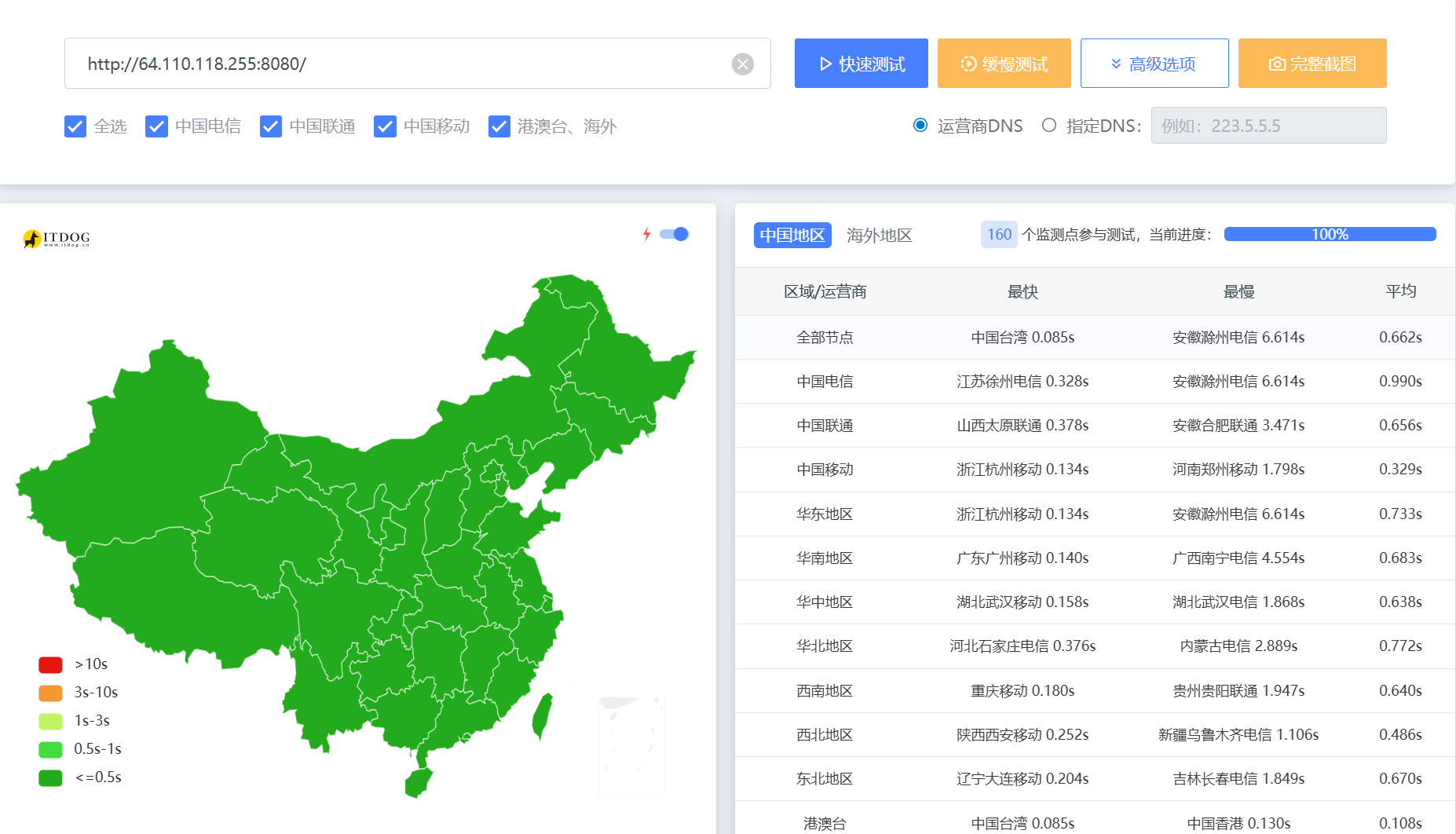
于是就想着是否能在我的俩甲骨文上托管我的静态博客?
思路
首先,我们需要一个Web服务器,用来提供HTML内容,因为我是静态博客。所有我们不需要高级功能,故选择最快的 static-web-server/static-web-server: A cross-platform, high-performance and asynchronous web server for static files-serving. ⚡
其次,我们还需要为它配置SSL,这里使用最简单的 https://acme.sh
最后,我们需要让他实时更新。嘛,最简单的就是写个定时任务,按照固定频次强制拉取远程仓库的最新更改
所以流程图最终大致如下
flowchart TD

    用户 --> 2x.nz --> |DNS解析|cdn[oraclecdn.2x.nz] --> 1[Oracle1]

    cdn --> 2[Oracle2]

    1 --> s1[SWS1]

    2 --> s2[SWS2]

    Acme1 --> |签发SSL|1

    Acme2 --> |签发SSL|2

    cron[定时任务] --> |拉取更新内容|1

    cron --> |拉取更新内容|2

    s1 --> r[静态博客]

    s2 --> r
正式开始!
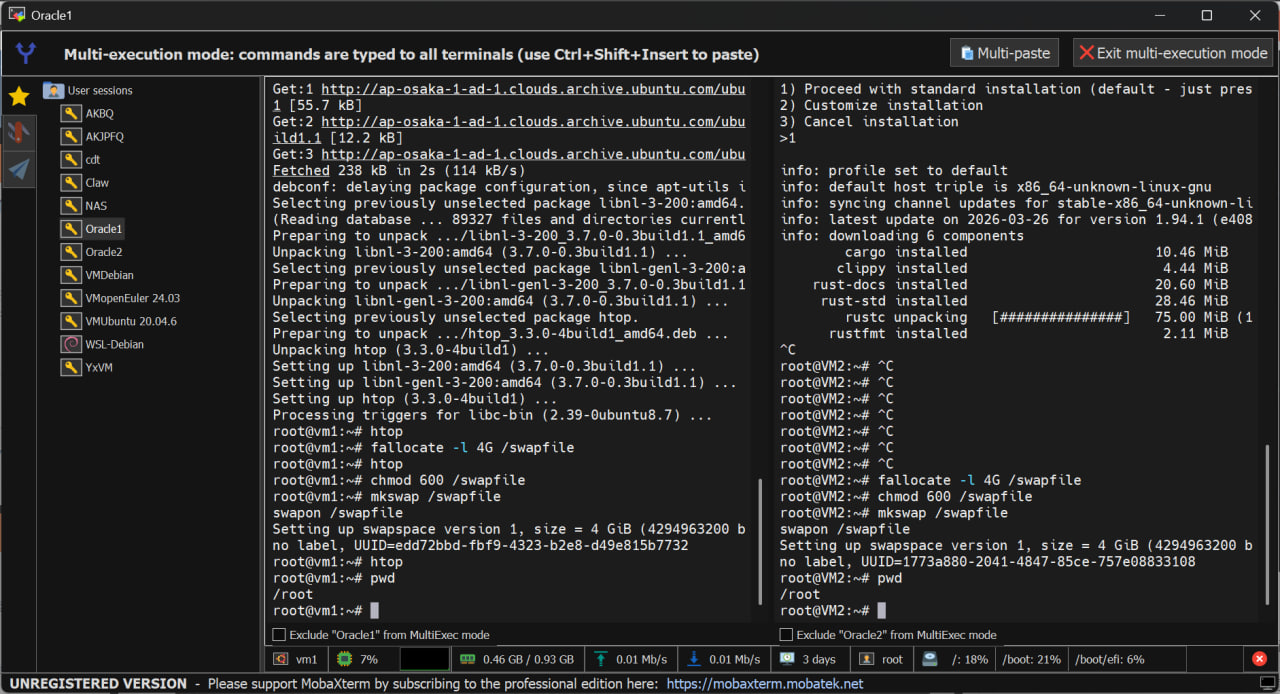
首先,使用 MobaXterm free Xserver and tabbed SSH client for Windows 连上两台机子并且启用 Multi Shell!
这样我们就可以输入一次命令,让多台机子同时执行!
wget https://github.com/static-web-server/static-web-server/releases/download/v2.42.0/static-web-server-v2.42.0-x86_64-unknown-linux-gnu.tar.gz
tar -xzvf static-web-server-v2.42.0-x86_64-unknown-linux-gnu.tar.gz
rm static-web-server-v2.42.0-x86_64-unknown-linux-gnu.tar.gz
然后我们创建 sws.toml 。启用HTTP跳转HTTPS,配置SSL(和上面ACME部署的路径一样)
[general]

#### Address & Root dir
host = "0.0.0.0"
port = 443
root = "/root/fuwari"

#### Logging
log-level = "error"

#### Cache Control headers
cache-control-headers = true

#### Auto Compression
compression = false
compression-level = "best"

#### Error pages
# Note: If a relative path is used then it will be resolved under the root directory.
page404 = "./404.html"
page50x = "./50x.html"

#### HTTP/2 + TLS
http2 = true
http2-tls-cert = "/root/ssl/2x_nz_cert.pem"
http2-tls-key = "/root/ssl/2x_nz_key.pem"
https-redirect = true
https-redirect-host = "2x.nz"
https-redirect-from-port = 80
https-redirect-from-hosts = "2x.nz"

#### CORS & Security headers
security-headers = true
cors-allow-origins = "*"

#### Directory listing
directory-listing = false

#### Directory listing sorting code
directory-listing-order = 1

#### Directory listing content format
directory-listing-format = "html"

#### Directory listing download format
directory-listing-download = []

#### Basic Authentication
# basic-auth = ""

#### File descriptor binding
# fd = ""

#### Worker threads
threads-multiplier = 1

#### Grace period after a graceful shutdown
grace-period = 0

#### Page fallback for 404s
# page-fallback = ""

#### Log request Remote Address if available
log-remote-address = false

#### Log real IP from X-Forwarded-For header if available
log-forwarded-for = false

#### IPs to accept the X-Forwarded-For header from. Empty means all
trusted-proxies = []

#### Redirect to trailing slash in the requested directory uri
redirect-trailing-slash = true

#### Check for existing pre-compressed files
compression-static = true

#### Health-check endpoint (GET or HEAD `/health`)
health = false

#### Markdown content negotiation
accept-markdown = false

#### List of index files
# index-files = "index.html, index.htm"
#### Maintenance Mode

maintenance-mode = false
# maintenance-mode-status = 503
# maintenance-mode-file = "./maintenance.html"

### Windows Only

#### Run the web server as a Windows Service
# windows-service = false


[advanced]

#### HTTP Headers customization (examples only)

#### a. Oneline version
[[advanced.headers]]
source = "*"
headers = { Server = "AcoForkCDN" }

#### b. Multiline version
# [[advanced.headers]]
# source = "/index.html"
# [advanced.headers.headers]
# Cache-Control = "public, max-age=36000"
# Content-Security-Policy = "frame-ancestors 'self'"
# Strict-Transport-Security = "max-age=63072000; includeSubDomains; preload"

#### c. Multiline version with explicit key (dotted)
# [[advanced.headers]]
# source = "**/*.{jpg,jpeg,png,ico,gif}"
# headers.Strict-Transport-Security = "max-age=63072000; includeSubDomains; preload"


### URL Redirects (examples only)

# [[advanced.redirects]]
# source = "**/*.{jpg,jpeg}"
# destination = "img/generic1.png"
# kind = 301

# [[advanced.redirects]]
# source = "/index.html"
# destination = "https://static-web-server.net"
# kind = 302

### URL Rewrites (examples only)

# [[advanced.rewrites]]
# source = "**/*.{png,ico,gif}"
# destination = "/assets/favicon.ico"
## Optional redirection
# redirect = 301

# [[advanced.rewrites]]
# source = "**/*.{jpg,jpeg}"
# destination = "img/sws.png"

### Virtual Hosting

# [[advanced.virtual-hosts]]
## But if the "Host" header matches this...
# host = "sales.example.com"
## ...then files will be served from here instead
# root = "/var/sales/html"

# [[advanced.virtual-hosts]]
# host = "blog.example.com"
# root = "/var/blog/html"
接下来我们创建一个系统服务
[Unit]
Description=Static Web Server (sws)
After=network.target

[Service]
Type=simple
ExecStart=/root/sws/static-web-server-v2.42.0-x86_64-unknown-linux-gnu/static-web-server \
  --config-file /root/sws/static-web-server-v2.42.0-x86_64-unknown-linux-gnu/sws.toml

Restart=always
RestartSec=5

# 安全 & 稳定性
LimitNOFILE=1048576
PrivateTmp=true
NoNewPrivileges=true

[Install]
WantedBy=multi-user.target
然后重载systemd,并且让服务开机自启
systemctl daemon-reexec
systemctl daemon-reload

systemctl enable sws
systemctl start sws
再然后安装 https://acme.sh
apt install cron
curl https://get.acme.sh | sh -s email=my@example.com
接着按照文档操作,申请证书 dnsapi · acmesh-official/acme.sh Wiki
./acme.sh --issue --dns dns_cf -d 2x.nz -d '*.2x.nz'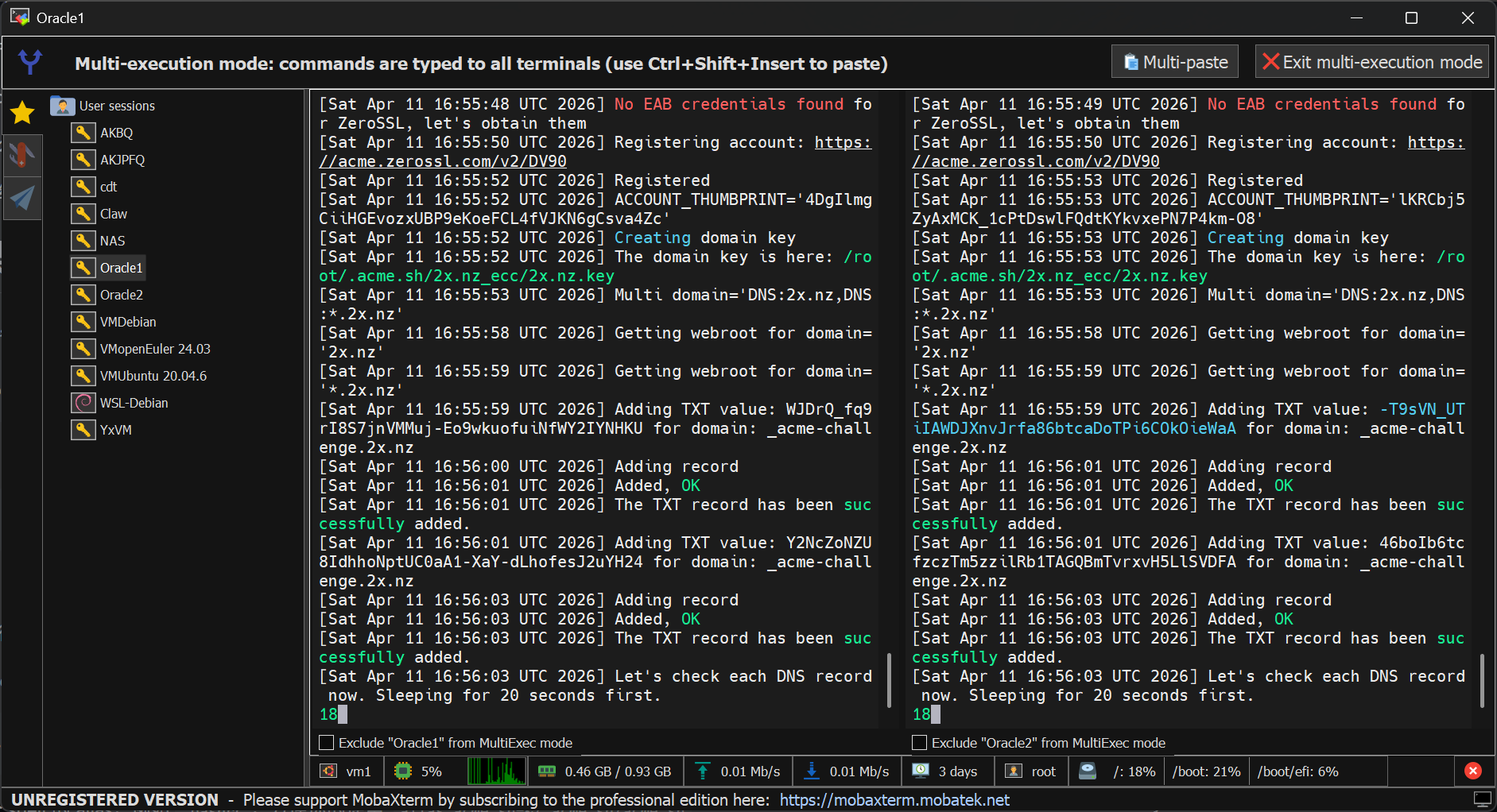
签发完毕后需要安装证书,指定一个目录。和刚才我们启动的SWS的SSL目录要一致
acme.sh --install-cert -d 2x.nz \
--key-file       /root/ssl/2x_nz_key.pem  \
--fullchain-file /root/ssl/2x_nz_cert.pem \
--reloadcmd     "service sws force-reload"
最后配上定时任务
但是先等等!我们还需要手动拉取一次我们的博客源码。由于Github Action每次都会自动帮我们构建好,所以我们仅需拉取 page 分支,并且不需要拉取历史
git clone -b page --single-branch --depth=1 https://github.com/afoim/fuwari.git然后写一个简单的脚本用以强制同步远程仓库的最新更改
cd /root/fuwari
git fetch origin
git reset --hard origin/page
接着创建一个一分钟执行一次该脚本的定时任务
crontab -e写入:
* * * * * /root/vps-cicd/build.sh >> /var/log/vps-cicd-build.log 2>&1接入
将两个甲骨文IP写入 oraclecdn.2x.nz 中

接着将 2x.nz CNAME oracle.2x.nz

高级
由于我们有两台Linux的完整控制权限,我们就可以实现一些高级功能...
- 通过 iptables 在L4层丢弃拨测IP发送的包,做到拨测网站全红😋
- 通过 iptables 设置L4层的TCP连接数速率限制,实现L4层防DDoS